
IT support and security for the small office.
We are the IT department for small businesses in Broward County and South Florida. We keep computers healthy, lock the doors attackers actually try, and make sure your files come back the day something goes wrong. When you call, someone who knows your setup answers.
Small office security checkup
These are the eight gaps we find most often when we first look at a small office. Answer honestly. Your score and fix list update as you go.
This checkup runs entirely in your browser. Nothing you answer is sent, stored or tracked.
Any answer of no or not sure is worth fixing. The note under each question tells you why and where to start.
Security checkup score
0of 8 in place
0/8 answered
Answer the questions to build your fix list.
Keep going. Your fix list updates as you answer.
Several doors are open. Start with the first two items this week; they matter most.
Some good habits, some real gaps. Work through the list from the top.
Solid basics with a few gaps. Close them in the order below.
All eight basics are in place. Check again once a year and every time someone leaves.
Your fix list
Nothing on your list yet.
Turn on multi-factor sign-in (check first)
Email and admin accounts first, then banking and the software you run the office on.
Test a restore from your backups (check first)
Restore a real file and a mailbox, and keep one copy off-site where ransomware cannot reach it.
Close former staff access (check first)
Keep a list of every system each person uses so nothing is missed, and change the shared codes they knew.
Turn on automatic updates (check first)
Windows, macOS, browsers and phones should update on their own. Replace devices that no longer get updates.
Give everyone their own login (check first)
Set up a business password manager and retire shared accounts wherever your software allows it.
Encrypt every laptop (check first)
Use the encryption built into Windows and Mac (BitLocker and FileVault), and store the recovery keys safely.
Train your team to spot phishing (check first)
A short session with real examples, plus one simple rule: when in doubt, report it before clicking.
Separate your guest Wi-Fi (check first)
Put guests, TVs, cameras and other smart devices on their own network, away from office computers.
What we look after, grouped by what it protects
Good small business IT is not one product. It is a set of habits kept up every week across three things: the people who sign in, the devices they use and the data your office cannot rebuild. We also handle the everyday support that keeps a front desk moving, from new computers and printers to the question that cannot wait.
People
Many break-ins start with a person, not a machine.
Accounts and access
One login per person, the right permissions for each role, and access removed the day someone leaves.
Multi-factor sign-in
A second step on email, banking and business apps, set up so it protects you without slowing the day down.
Password manager
Strong, unique passwords your team can actually use, with shared folders for the logins a team needs.
Phishing awareness
Short, practical training with real examples, and an easy way to report an email that feels off.
Devices
Every laptop, phone and router is a door into the office.
Computers and phones
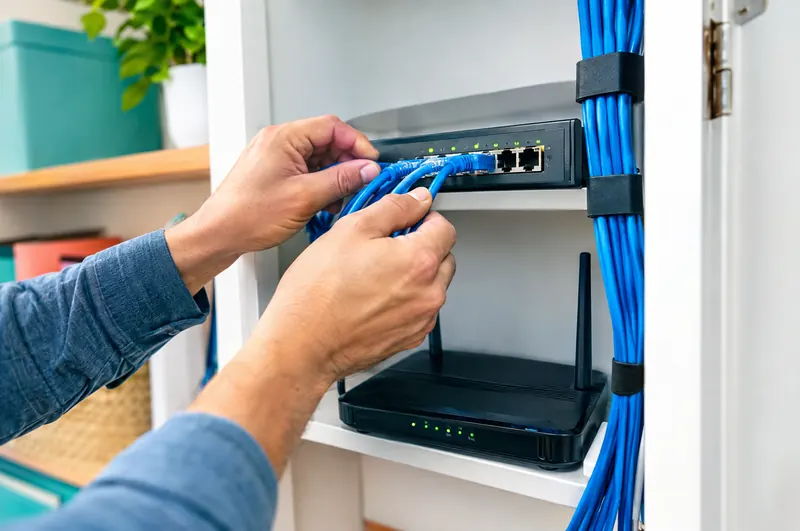
Setup, standard security settings and ongoing care for Windows, Mac and the phones your team uses for work.
Updates and patching
Operating systems, browsers and apps kept current on a schedule, not whenever someone remembers.
Encryption and threat protection
Drives encrypted, and business-grade protection watching every machine for malware and ransomware.
Network and Wi-Fi
Firewall, office Wi-Fi and a separate guest network, on equipment that handles a full waiting room.
Data
The files, email and records you could not rebuild from memory.
Backups
Automatic backups of computers, shared files and cloud email, with a copy kept where ransomware cannot reach it.
Tested recovery
Regular test restores, so we know your backups work and how long getting back to work really takes.
Email security
Filtering for phishing and impersonation, plus the domain records that prove your email is really from you. How we set up business email
Your website
The site is data too. Secure hosting, updates and backups keep it from becoming the easy way in. About our website hosting
HIPAA-aware IT for medical and dental offices
Patient information raises the stakes. HIPAA expects offices to protect it with administrative, physical and technical safeguards. We handle the technical side and help you keep the records that show the work was done.
HIPAA-aware means we build with these rules in mind from day one. It is not a certification, and nobody can sell you compliance as a product. Your policies, training and legal review stay with your practice and its advisors.
Law firms and med spas get the same discipline for confidential client files. Thinking about AI tools around patient data? See how we approach AI

- Access controls
- Unique logins, role-based permissions and automatic screen locks, so each person sees only what their job needs.
- Audit trails
- Sign-in and access logs turned on and kept, so you can answer who opened what, and when.
- Business associate agreements
- A signed BAA with every vendor that touches patient data, from email and backups to phones. We help you keep track of which ones you have.
- Encrypted devices
- Laptops, phones and backups encrypted, so a lost device is far less likely to turn into a privacy incident.
When something goes wrong
A clicked link. A ransom note on the screen. A laptop left in a rideshare. The first hour shapes everything after it, so this is the sequence we follow, every time.
Call us
Tell us what you see. Do not wipe anything and do not pay anyone. We start working with you while you are still on the phone.
Contain
We disconnect affected machines, reset exposed passwords and lock the accounts involved, so the problem stops spreading.
Recover
We restore files and systems from clean backups and check that everything works before your team gets back to it.
Fix the cause
We find out how it got in, close that door and write down what happened, including anything you may need to report.
If you think something is wrong right now
- Disconnect the computer from Wi-Fi or unplug its network cable. Leave it powered on.
- Do not pay a ransom and do not reply to the sender.
- Take a photo of the screen and note the time you noticed it.
- Call us, or whoever handles your IT today, before trying to fix it yourself.
IT and security questions, answered
We are a small office. Would anyone really target us?
Most attacks are automated. They scan for weak passwords, missing updates and open doors, and they do not check the size of the business first. Small offices get hit precisely because the basics are often missing.
Do you replace the person who helps us with IT today?
Not necessarily. We often work alongside whoever helps you now, or take over fully if that is easier for you. Either way, we document your setup so no one person is the only one who knows it.
What happens if we get hit by ransomware?
We isolate the affected machines, restore from backups the attacker could not reach and close the way in. Recovery depends on having backups that were tested before the attack, which is why testing them is part of our routine.
Can you make us HIPAA compliant?
No one can sell compliance as a product, and anyone who promises it is overselling. We set up HIPAA-aware systems, handle the technical safeguards, help with your security risk assessment and track your vendor agreements. Policies, training and legal review stay with your practice and its advisors.
Is the checkup on this page a full security assessment?
No. It covers eight basics that matter in almost every small office. A real review looks at your actual devices, accounts, backups and network, and it usually finds things a questionnaire cannot.
Do you support both Mac and Windows?
Yes, both, plus the phones and tablets your team uses, Microsoft 365 or Google Workspace, and the printers nobody else wants to touch.
Do you work on-site or remotely?
Mostly remotely, because it is faster for you. For jobs that need hands on the hardware, like new equipment, network or Wi-Fi work, ask us about an on-site visit.
Can you work with the software we already use?
Usually, yes. We support offices running practice management, dental, legal and point of sale software. For problems inside a vendor's product, we work with their support team so you do not have to sit on hold.
Don't see yours? Ask us anything. Email us your question
Let's talk about your business.
Tell us what you need. We'll get back to you soon, in English or Spanish.